
Overview – The Ultimate Scheduler
Designing a smarter way to manage life’s overlapping commitments.
Role
Product Designer
Timeline
5 months
Skills
User Research & Analyst
Medium & High Fidelity
Usability Testing
Prototyping
Tools
Google docs
Zoom
Figma
Figjam
The Problem
People don’t struggle because they lack calendars—they struggle because their lives are fragmented across them. Work events, personal plans, and to-dos live in different tools, creating cognitive overload and missed moments. This project focuses on reimagining scheduling as a holistic life-management system rather than a collection of disconnected tools.
How might we design a scheduler that helps people balance work and life with clarity, control, and ease?
Speaking to Users
Rather than starting with features, I began by understanding how people manage their time across work and life. I conducted 5 in-depth interviews with participants juggling professional responsibilities, family commitments, and personal priorities.
Across interviews, a clear pattern emerged: people weren’t struggling because they lacked scheduling tools—they were struggling because their lives were fragmented across them. Events, tasks, and reminders lived in separate places, making it difficult to maintain clarity and stay in control.
These insights surfaced four core challenges in everyday scheduling that shaped the direction of the MVP.
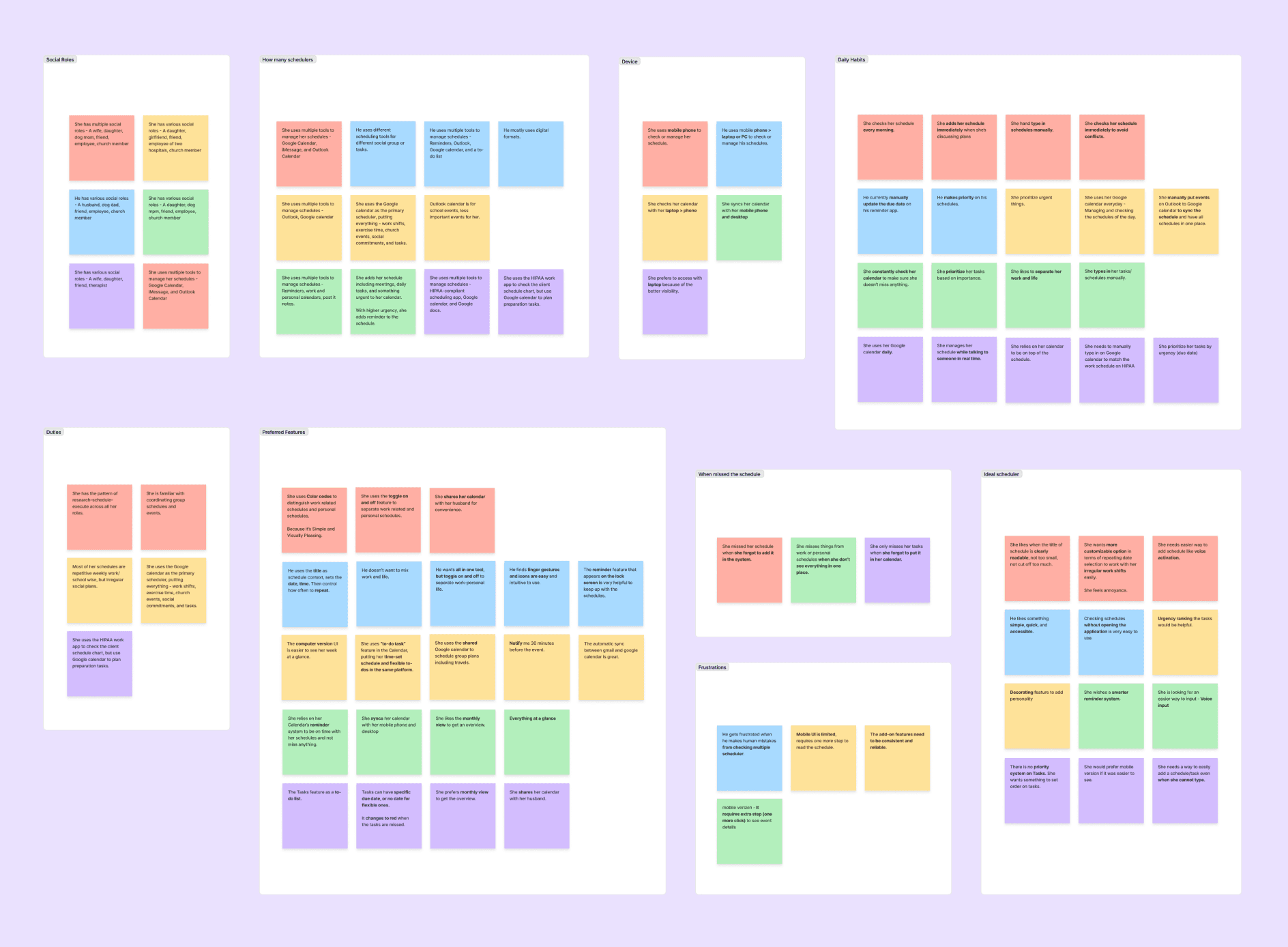
View Affinity Diagram
Persona

Emily Park
“My life runs on my calendar—so it has to be fast, clear, and something I can trust no matter where I am.”
Age - 32 years old
Occupation - Pharmacist
Other - Married, Dog mom, and a member of Church
Backgrounds
Emily balances work, family, and community commitments and relies heavily on digital calendars to stay organized. She switches frequently between desktop and mobile, updates her schedule in real time, and often coordinates plans with others. Speed, clarity, and low friction are essential to maintaining her confidence and control.
Goal
Emily wants a reliable, easy-to-manage calendar that prevents conflicts and missed events. She needs to add or update plans quickly and see her schedule clearly at a glance, with strong reminders and an interface that adapts to both personal and professional needs.
Behaviors
Emily regularly shares her calendar, cross-checks availability before committing, and moves between devices throughout the day. She uses visual cues like color coding to prioritize events and adjusts plans as conflicts arise to maintain balance across her roles.
Opportunities
Synthesizing user needs with product constraints, I lean toward four strategic opportunity areas for the MVP. Each opportunity focused on reducing cognitive load, improving visibility, and supporting real-life scheduling behaviors—transforming a traditional calendar into a true life management assistant.
Fragmented Schedules Across Roles
People juggling work, family, and personal commitments struggle when events are spread across multiple tools, leading to missed or overlapping plans.
Lack of At-a-Glance Visibility
People need to see their full schedule clearly in one view, but switching between apps makes it hard to stay aware and avoid conflicts.
No Clear Way to Prioritize
When tasks and events live in separate systems, people struggle to understand what matters most and feel overwhelmed by daily decisions.
High Friction for On-the-Go Input
People often need to capture plans while multitasking, but manual input slows them down and causes important events to be forgotten.
Early Concept
I started with the widget view, as it best supported the project goal of managing schedules in one place with minimal friction. By allowing users to view and update their schedules without opening the full app, the widget established the core interaction model. This experience informed the user flow mapping and guided the design of the mid-fidelity prototype.
4
5
6
7
8
9
10
11
12
13
14
15
16
17
Sun
Mon
Tue
Wed
Thu
Fri
Sat
January 2026
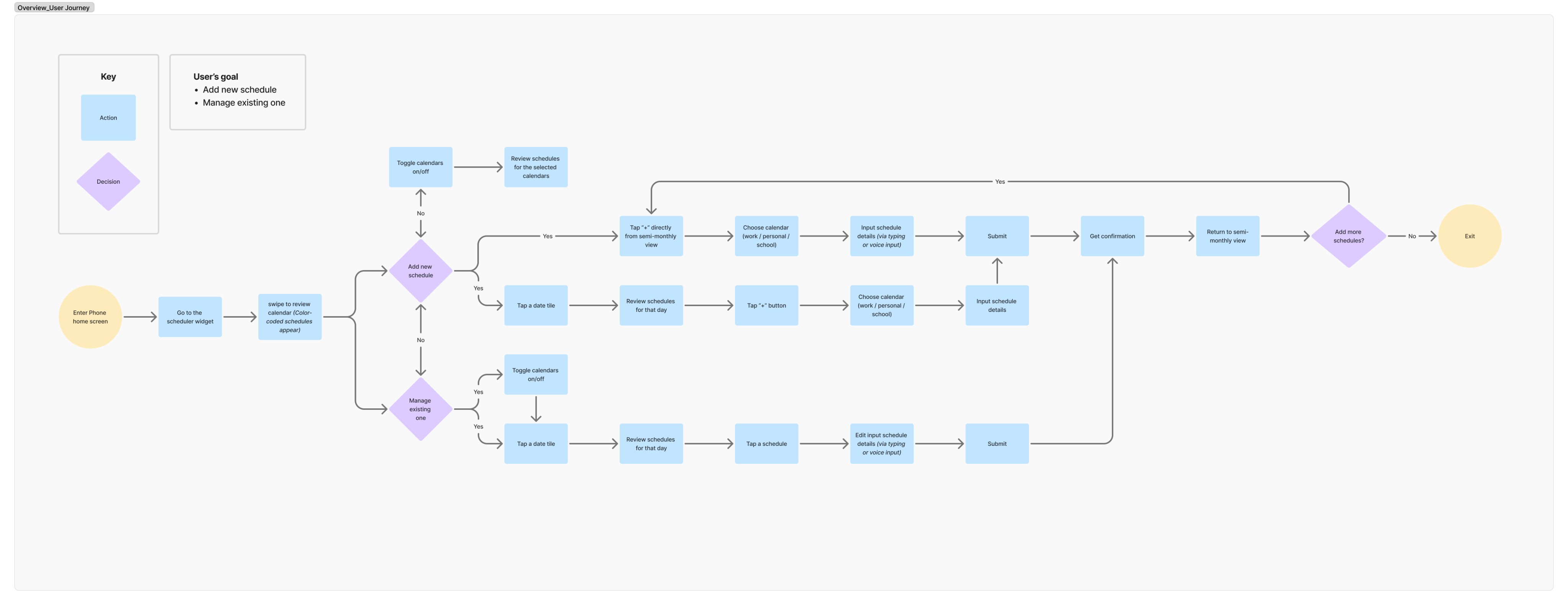
View User Journey Map
Design System
I started with the widget view, as it best supported the project goal of managing schedules in one place with minimal friction. By allowing users to view and update their schedules without opening the full app, the widget established the core interaction model. This experience informed the user flow mapping and guided the design of the mid-fidelity prototype.
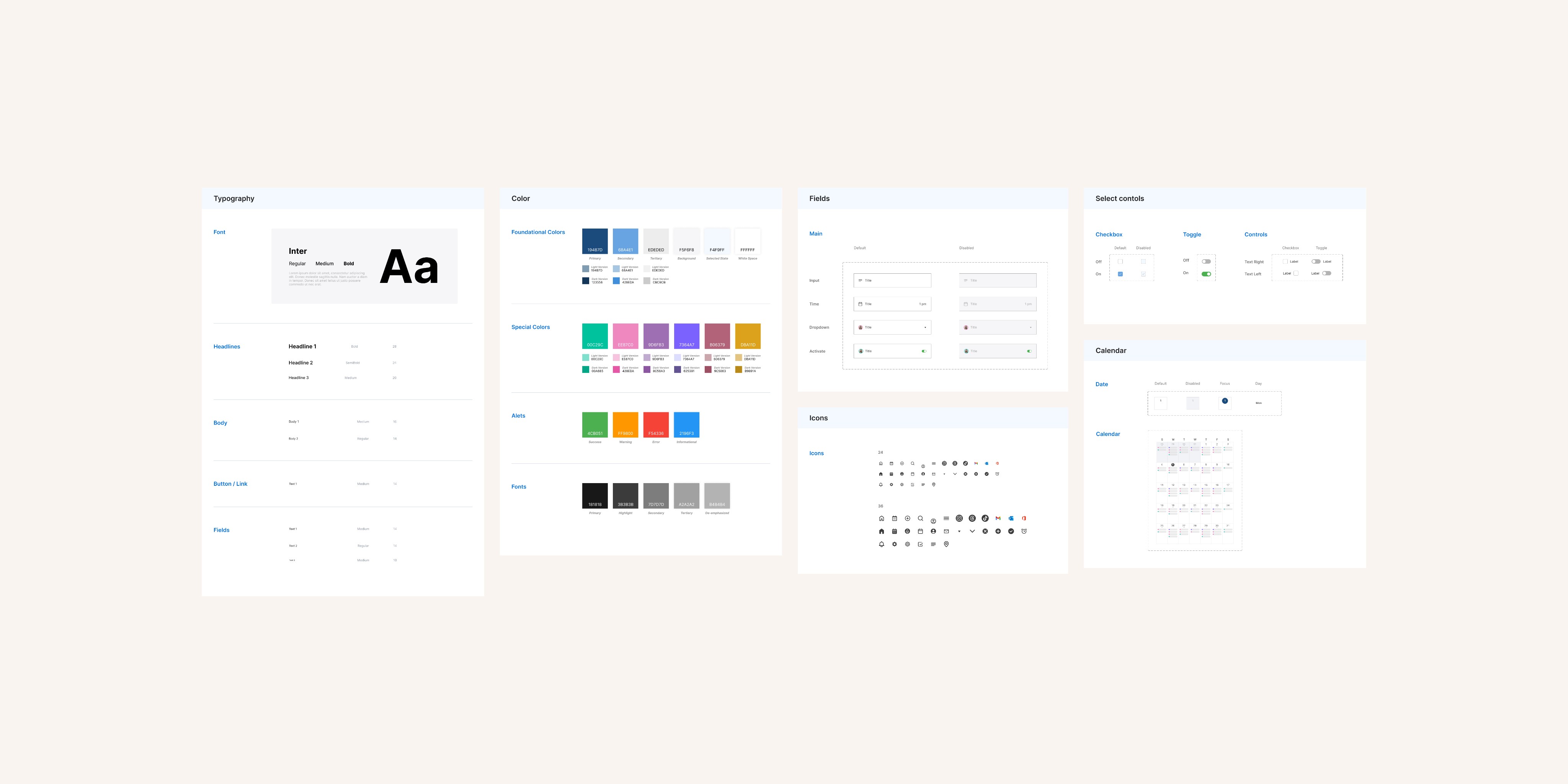
Defining App features
After validating the widget experience, I expanded the vision to the full application ecosystem. I designed the end-to-end app experience, including onboarding and login, account setup and management, event search, and detailed schedule views—ensuring the broader system supported the same clarity, efficiency, and flexibility established in the widget.
Solution Summary
These solutions focus on reducing cognitive load by giving users immediate control, faster capture, and continuous visibility into their schedules. Together, they shift the product from a traditional planning tool into a system that adapts to users’ context, attention, and daily rhythms—supporting clarity without demanding constant interaction.

Toggle on & off accounts
Rather than treating calendars as static data sources, this solution reframes them as contextual layers that users can actively control. The account toggle allows users to instantly shift focus between work and personal commitments without reconfiguring filters or navigating separate views. By prioritizing visibility control at the system level, this interaction reduces cognitive load, prevents accidental over-planning, and reinforces trust that the schedule reflects exactly what matters in the current moment.
Voice Activation
Voice activation was designed as a fast capture mechanism for moments when attention is limited and traditional input becomes a barrier. Instead of optimizing for completeness, this feature prioritizes speed and recall—allowing users to externalize commitments the moment they occur. By supporting low-effort input across contexts, voice activation reduces friction in task creation and helps prevent planning breakdowns caused by delayed or missed entries.
Monday, Jan 12
1 pm
2 pm

0000@gmail.com
Location
Description...
30 minutes before
Add title
Home
Calendar
Search
Profile
Settings
FaceTime
App Store
Fitness
MON
31
Calendar
Maps
Music
Photos
9:41
4
5
6
7
8
9
10
11
12
13
14
15
16
17
Sun
Mon
Tue
Wed
Thu
Fri
Sat
JP Paper due
Final vision meeting
Live Session follow...
Design sprint deb...
Med Pick up
Project kickoff | Vi...
Lecture Module 2
Studio Work: Prot...
Social check-in
Video Halo regrou...
Weekly Showcase...
Designer’s coffee...
Studio Work
Research & Trend...
Gym / recharge
Town Hall meeting
VR/AR in Design
Group Critique
Portfolio review wi...
Morning yoga with...
Personal errands
Collaboration Plan...
Lunch with Class...
HC Birthday Party...
Follow up with Na...
Video Halo regrou...
User Testing & Iter...
Client | 2026 kicko...
Pilates at Session ...
Revenue recap...
Design Theory
Peer Review Sessi...
Town Hall meeting
Weekly Reflection
Dinner with Vanes...
January 2026

Overview
Widget Interaction
The widget extends the product beyond the app boundary, turning scheduling into a continuous, ambient experience rather than a destination-based task. By surfacing essential information and lightweight actions directly on the home screen, the widget minimizes interaction cost while maintaining awareness throughout the day. This design reinforces habit formation by supporting frequent, glanceable check-ins without pulling users into deeper workflows unnecessarily.
Interactive Prototypes
Mobile app prototype
Widget prototype
Key Takeaways
Small surfaces can reveal big system problems
Starting with a widget forced me to focus on the most essential user needs—quick visibility, minimal interaction, and instant clarity. This constraint exposed deeper issues around fragmented schedules and cognitive overload, which couldn’t be fully solved at the widget level alone.
Designing for moments led to designing a system
The widget experience highlighted how often scheduling happens in brief, high-pressure moments. To support these behaviors meaningfully, the concept needed to expand into a full app—one that connects tasks, events, priorities, and roles into a cohesive life-management system.
Clarity is a design outcome, not a feature
As the scope evolved, I learned that reducing stress isn’t about adding functionality, but about thoughtful hierarchy, visibility, and flow across surfaces. The transition from widget to full app reinforced the importance of designing an ecosystem—not isolated touchpoints.
Yay! We've made it to the finish line. Say 👋 hi!
renee.kim0921@gmail.com
January 2026

Monday, Jan 5
1 pm
2 pm

0000@gmail.com
Location
Description...
30 minutes before
4
5
6
7
8
9
10
11
12
13
14
15
16
17
Sun
Mon
Tue
Wed
Thu
Fri
Sat
JP Paper due
Final vision meeting
Live Session follow...
Design sprint deb...
Med Pick up
Project kickoff | Vi...
Lecture Module 2
Studio Work: Prot...
Social check-in
Video Halo regrou...
Weekly Showcase...
Designer’s coffee...
Studio Work
Research & Trend...
Gym / recharge
Town Hall meeting
VR/AR in Design
Group Critique
Portfolio review wi...
Morning yoga with...
Personal errands
Collaboration Plan...
Lunch with Class...
HC Birthday Party...
Follow up with Na...
Video Halo regrou...
User Testing & Iter...
Client | 2026 kicko...
Pilates at Session ...
Revenue recap...
Design Theory
Peer Review Sessi...
Town Hall meeting
Weekly Reflection
Dinner with Vanes...
January 2026
Home
Calendar
Search
Profile
Settings
Add another account
Personal@email.com
School@email.com
Work@email.com
Linked accounts
Hi, Emily!

Home
Calendar
Search
Profile
28
29
30
31
1
2
3
4
5
6
7
8
9
10
11
12
13
14
15
16
17
18
19
20
21
22
23
24
25
26
27
28
29
30
31
1
2
3
4
5
6
7
S
M
T
W
T
F
S
January 2026


Stay on top of your day.
View all your tasks, appointments, and events in one clear, organized layout
Unlock Pro
Today’s Events
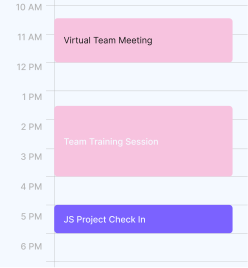
Reminder
Prepare for Presentation Slides
Collect Previous Training Guides
General Q&As
Report Track Progress on Sales Deck
Clean Up JS Project by Noon
Sign in
Register
MY ACCOUNT
LEGAL STUFF
HELP
ABOUT
Terms of use
Privacy policy
FAQs
Customer support
About us
Careers
FOLLOW OVERVIEW
© 2026 Overview LLC. All Rights Reserved.
9:41
Emily Park
Home
Calendar
Search
Profile